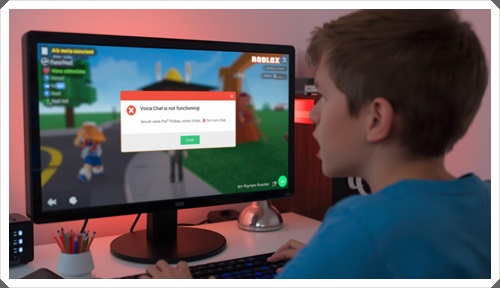
If your Roblox voice chat is not working, you’re missing one of the most immersive features in the game. Voice chat (VC) allows real-time communication, but many users face issues like mic not working, voice chat not enabling, or audio not being detected.
The good news is — most of these problems are easy to fix with the right steps.
This guide will walk you through how to fix Roblox voice chat issues on PC and mobile devices.
🔍 Why Roblox Voice Chat Is Not Working
Understanding the cause helps you fix the issue faster.
🎤 Microphone Not Detected
Your device may not recognize your mic.
🔒 Voice Chat Not Enabled
Voice chat must be enabled in account settings.
📵 Permissions Not Granted
Roblox needs microphone access.
🧩 App or System Glitches
Temporary bugs can block voice chat.
🌐 Network Issues
Poor internet can affect voice communication.
⚡ Quick Fixes You Should Try First
These simple steps fix most VC issues quickly.
🔄 Restart Your Device
Clears temporary bugs.
🎧 Check Your Microphone
Ensure your mic is working properly.
🔁 Restart Roblox
Close and reopen the app.
🌐 Check Internet Connection
Use stable WiFi for better performance.
🔐 Enable Voice Chat in Roblox
Voice chat won’t work unless it’s enabled.
📋 Steps to Enable VC
- Go to Settings
- Open Privacy
- Enable Voice Chat
Important: Voice chat requires age verification (13+).
💻 Fix Roblox Voice Chat Not Working on PC
🎤 Set Correct Microphone
- Go to Sound Settings
- Select correct input device
🔒 Allow Microphone Access
- Open Privacy Settings
- Enable mic access for apps
🛠️ Update Audio Drivers
Outdated drivers can cause mic issues.
🎧 Disable Other Audio Apps
Apps like Discord may conflict.
📱 Fix Roblox Voice Chat Not Working on Mobile
📵 Enable App Permissions
- Go to App Settings
- Allow microphone access
🧹 Clear App Cache
Removes temporary bugs.
⬆️ Update Roblox App
Always use the latest version.
🔁 Reinstall Roblox
Fixes deeper issues.
🔗 Related Fix Guide
If Roblox keeps crashing or lagging, check this:
Roblox Keeps Crashing Fix Guide
🛡️ Safety Tip (Important)
Never use third-party voice chat tools claiming to “unlock” Roblox VC.
For official guidance, refer to:
Roblox Account Safety Guidelines
🧠 Advanced Fixes for Roblox Voice Chat Issues
If your Roblox voice chat is not working even after basic fixes, these advanced solutions can resolve deeper issues.
⚙️ Set Default Input Device Properly
Sometimes your system uses the wrong microphone.
- Open Sound Settings
- Select your primary microphone
- Set it as default device
🎛️ Adjust Microphone Sensitivity
Low input levels can make it seem like your mic isn’t working.
- Increase input volume
- Disable noise suppression (if needed)
🧩 Disable Conflicting Applications
Apps like Discord, Zoom, or recording tools can block your microphone.
- Close background apps
- Restart Roblox
🌐 Check Firewall & Network Permissions
Your firewall may restrict voice communication.
- Allow Roblox in firewall settings
- Disable VPN if active
🚀 Improve Voice Chat Quality
Once voice chat is working, optimize it for better performance.
🎧 Use a Good Headset
External microphones provide better clarity.
📶 Maintain Stable Internet
Voice chat requires consistent connectivity.
🔇 Reduce Background Noise
Play in a quiet environment for clearer communication.
⚠️ Common Mistakes to Avoid
- ❌ Not enabling voice chat in settings
- ❌ Ignoring microphone permissions
- ❌ Using multiple audio devices simultaneously
- ❌ Playing on unstable internet
Avoiding these mistakes can solve most issues instantly.
🧩 Troubleshooting Checklist
If Roblox voice chat is not working, make sure you’ve tried:
- ✔ Enabling voice chat in settings
- ✔ Allowing microphone permissions
- ✔ Selecting correct input device
- ✔ Updating Roblox and system
- ✔ Restarting your device
This checklist covers almost all common problems.
❓ Frequently Asked Questions (FAQ)
Why is my Roblox voice chat not working?
This usually happens due to disabled settings, mic permission issues, or device configuration problems.
Do I need age verification for voice chat?
Yes, Roblox requires age verification (13+) to enable voice chat.
Why is my mic not detected in Roblox?
Your system may not have the correct input device selected or permissions enabled.
Can VPN affect Roblox voice chat?
Yes, VPNs can block or slow down voice communication.
Does reinstalling Roblox fix VC issues?
Yes, especially if the issue is caused by corrupted app files.
📌 Final Thoughts
If Roblox voice chat is not working, the problem is usually related to settings, permissions, or device configuration.
By following the steps in this guide, you can quickly fix voice chat and enjoy smooth communication in Roblox.
Always keep your app updated and avoid using risky third-party tools.
👉 CTA
Fix your voice chat now using the steps above and enjoy a better Roblox experience with real-time communication.
Clear audio makes every game more fun and interactive.