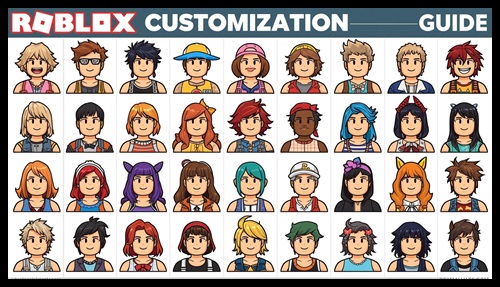
Roblox is not just about playing games—it’s also about expressing your identity through your avatar. Whether you are a beginner or an experienced player, customizing your Roblox avatar allows you to stand out and showcase your personality.
In this complete guide, you will learn how to customize your Roblox avatar step by step, including free methods, premium options, and expert tips to make your avatar unique.
Last Updated: March 2026
What Is a Roblox Avatar?
A Roblox avatar is your digital character that represents you in games and experiences. Every player starts with a basic avatar, but you can customize it using clothing, accessories, animations, and more.
Your avatar appears in all Roblox games, making it an important part of your identity on the platform.
Why Avatar Customization Matters
Customizing your avatar is more than just changing appearance. It helps you:
- Express your personality
- Stand out in multiplayer games
- Improve social interaction
- Create a unique gaming identity
If you are new to Roblox, you should also read our guide on Roblox tips for beginners to understand how the platform works.
Roblox Avatar Editor Features
- Body customization
- Clothing and accessories
- Animations and emotes
- Save outfits
R6 vs R15 Avatar: Which Is Better?
Roblox offers two avatar types: R6 and R15. R6 is the classic avatar style with limited movement, while R15 provides more realistic animations and better customization options.
How to Customize Your Roblox Avatar (Step-by-Step)
Step 1: Open Avatar Editor
Log in to your Roblox account and go to the Avatar section. This is where all customization options are available.
Step 2: Choose Body Style
You can adjust body shape, skin tone, and proportions using the body settings.
Step 3: Add Clothing
Choose shirts, pants, and outfits from your inventory or the Roblox catalog.
Step 4: Equip Accessories
Add hats, glasses, backpacks, and other accessories to personalize your avatar.
Step 5: Use Animations
Animations change how your avatar walks, runs, and jumps.
| Customization Type | Free | Paid |
|---|---|---|
| Clothing | Yes | Yes |
| Accessories | Limited | Yes |
| Animations | No | Yes |
Free Avatar Customization Options
You don’t always need Robux to create a great avatar. Here are some free options:
- Free items from Roblox catalog
- Event rewards
- Promo codes
To get free items, check our guide on Roblox redeem codes.
Premium Avatar Customization
If you want advanced customization, you can use Robux to buy premium items.
- Exclusive clothing
- Limited items
- Custom animations
- Avatar bundles
Learn how to earn Robux safely in our guide on how to get Robux in Roblox.
Best Avatar Customization Tips
Keep It Simple
A clean and simple avatar often looks better than an overloaded one.
Use Matching Colors
Choose a color theme to make your avatar visually appealing.
Avoid Too Many Accessories
Using too many items can make your avatar look messy.
Follow Trends
Check popular avatars to get inspiration.
Common Avatar Customization Mistakes
- Using too many items
- Ignoring color combinations
- Copying others instead of being unique
- Using inappropriate content
To avoid mistakes, read our guide on Roblox beginner mistakes.
How to Stay Safe While Customizing Avatar
Always use official Roblox features and avoid third-party tools.
- Do not download unknown files
- Avoid fake avatar editors
- Use official Roblox marketplace only
For more safety tips, visit the Roblox Support Center.
Popular Avatar Styles in 2026
- Minimalist avatars
- Anime-style avatars
- Aesthetic outfits
- Funny avatars
- Roleplay characters
Frequently Asked Questions (FAQs)
Is Roblox avatar customization free?
Yes, basic customization is free, but premium items require Robux.
Can I create a unique avatar without Robux?
Yes, you can use free items and promo codes.
How often can I change my avatar?
You can change your avatar anytime without restrictions.
Is it safe to use third-party avatar tools?
No, always use official Roblox tools to avoid scams.
Conclusion
Roblox avatar customization is one of the most exciting features of the platform. Whether you use free items or premium upgrades, creating a unique avatar helps you express yourself and enjoy the game even more.
Start experimenting with different styles and build an avatar that truly represents you.