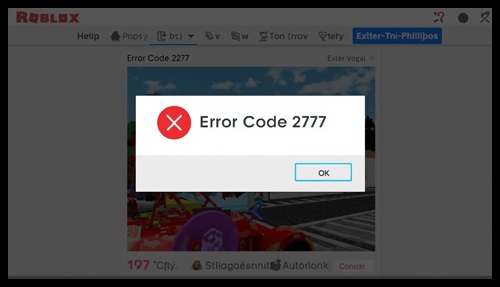
If you’re seeing Roblox error code 277, it usually means your connection to the game server has been interrupted.
This error can kick you out of games suddenly, causing frustration — especially during gameplay.
The good news is that this issue is completely fixable once you identify the cause.
In this guide, you’ll learn exact steps to fix error code 277 on both PC and mobile devices.
🔍 What Is Roblox Error Code 277?
Error code 277 is a connection-related error that occurs when your device fails to maintain a stable link with Roblox servers.
It often appears with messages like:
- “Disconnected from game”
- “Connection lost”
This means your internet or system is interrupting communication with Roblox servers.
⚠️ Main Causes of Error Code 277
🌐 Unstable Internet Connection
Weak or fluctuating internet is the most common cause.
📡 High Ping or Latency
High ping can lead to sudden disconnections.
🧩 Server Issues
Sometimes Roblox servers are temporarily unstable.
🛠️ Corrupted Game Files
Damaged files can cause connection problems.
🛡️ Firewall or Antivirus Blocking
Security software may block Roblox network access.
⚡ Quick Fixes You Should Try First
Start with these simple solutions — they often fix the issue instantly.
🔄 Restart Your Router
Turn off your router, wait 30 seconds, then turn it back on.
🔁 Restart Your Device
This clears temporary system glitches.
🌐 Switch Network
Try a different WiFi or mobile data connection.
📶 Move Closer to Router
Weak signal strength can cause disconnections.
💻 Fix Roblox Error Code 277 on PC
🧹 Clear Browser Cache
If you play via browser, clearing cache can help.
🛠️ Reset Internet Settings
- Open Command Prompt
- Run network reset commands
🛡️ Disable Firewall Temporarily
Check if firewall is blocking Roblox.
🔁 Reinstall Roblox
Fresh installation removes corrupted files.
📱 Fix Roblox Error Code 277 on Mobile
📶 Use Stable Internet
Avoid switching networks during gameplay.
🧹 Clear App Cache
Removes temporary corrupted data.
⬆️ Update Roblox App
Always use the latest version.
🔁 Reinstall the App
Fixes deeper issues.
🔗 Related Fix Guide
If Roblox keeps disconnecting or lagging, check this:
🛡️ Safety Tip (Important)
Avoid using third-party tools claiming to fix Roblox errors automatically.
For official guidance, refer to: