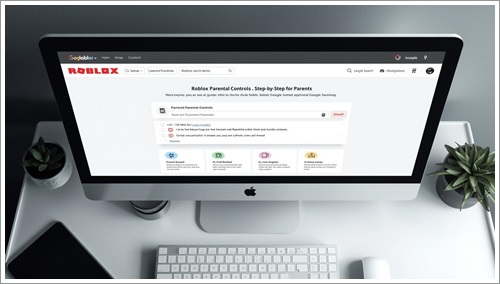
Roblox is one of the most popular gaming platforms among children, but many parents worry about safety, chat features, and online interactions. The good news is that Roblox provides powerful parental controls that help you protect your child.
In this guide, we will explain how to set up Roblox parental controls properly so your child can enjoy the platform safely.
Parents can significantly improve safety by configuring account restrictions properly. Follow our step-by-step guide on Roblox Parental Controls Setup to activate chat limits and content filters.
To ensure safe communication, read our guide on Roblox chat safety.
Why Roblox Parental Controls Are Important
Roblox allows players to chat, join multiplayer games, and interact with strangers. Without proper settings, children may be exposed to inappropriate content or unwanted communication.
If you’re wondering about overall platform safety, you can also read our detailed guide on whether Roblox is safe for kids to understand the bigger picture.
Step 1: Create a Parent PIN
A Parent PIN prevents your child from changing security settings.
- Log into your child’s Roblox account.
- Go to Settings.
- Click on Parental Controls.
- Create a secure 4-digit PIN.
This ensures only you can modify important account settings.
Step 2: Set Content Restrictions
Roblox allows you to limit the type of games your child can access.
- Go to Settings → Parental Controls.
- Enable Content Restrictions.
- Select age-appropriate experiences.
This blocks mature or inappropriate content automatically.
Step 3: Manage Privacy Settings
Privacy settings control who can message or chat with your child.
- Go to Settings → Privacy.
- Adjust options for:
- Who can chat with me
- Who can message me
- Who can invite me to private servers
We recommend setting these to Friends or No One for younger children.
Step 4: Monitor Account Warnings
Roblox may issue warnings if a user violates community guidelines. Understanding these warnings helps prevent account bans.
To learn how warnings work and what they mean, read our guide on Roblox account warnings explained.
Step 5: Enable Account Security Features
To prevent hacking:
- Enable Two-Step Verification.
- Use a strong password.
- Verify the parent email address.
This protects the account from unauthorized access.
Extra Safety Tips for Parents
- Regularly check your child’s friend list.
- Discuss online safety openly.
- Review play history occasionally.
- Teach children not to share personal information.
Final Thoughts
Setting up Roblox parental controls takes only a few minutes but greatly improves your child’s safety. By combining content restrictions, privacy settings, and account security, you can create a safe and enjoyable gaming environment.
Roblox can be a fun and creative platform — as long as proper safety measures are in place.